Consent UI Preview
This screen shows how communication consent options will appear inside the NPM application. These visuals help users understand what a selected vs. unselected state looks like before making their choice.
The purpose of this screen is to clearly demonstrate the user experience and interaction model used in the app for consent-based preferences.
Selected state
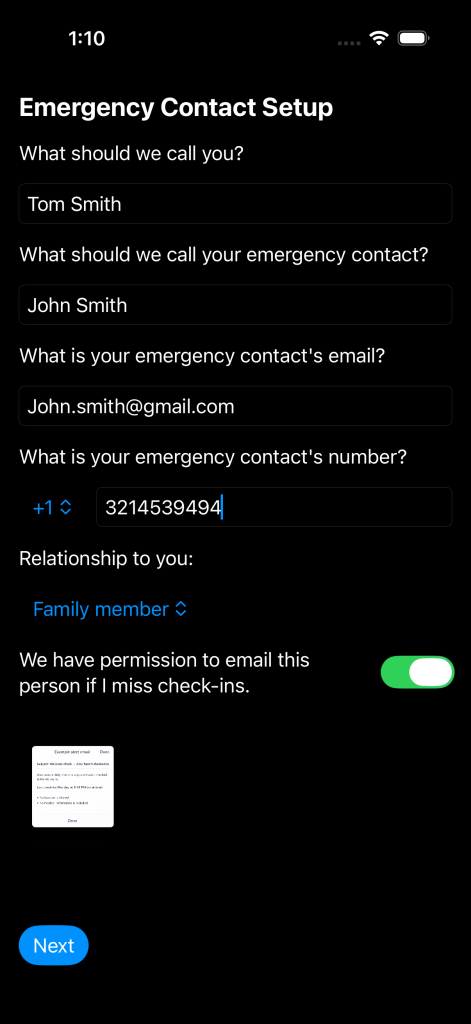
This represents an active selection. The user has opted in, and the option is visually confirmed as enabled.
Not selected state
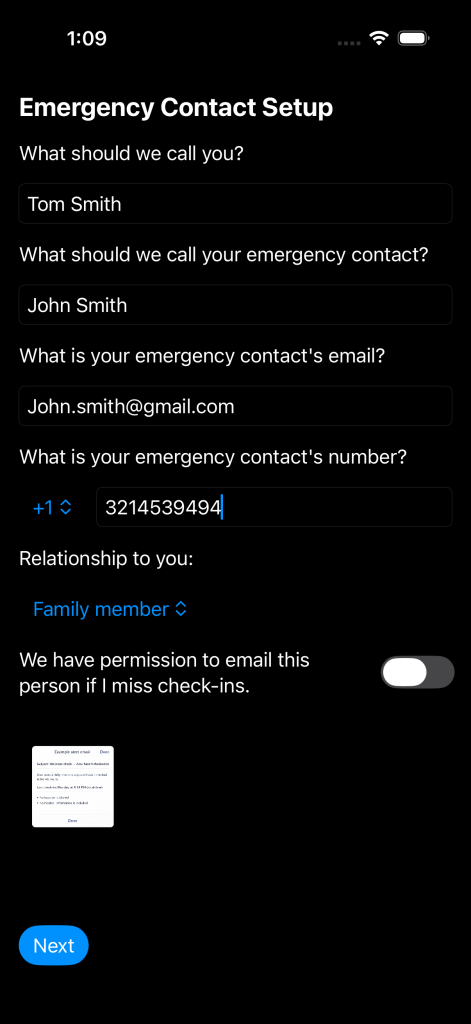
This represents an inactive selection. The user has not opted in, and the option is visually disabled or unselected.
Why this matters
This preview helps users visually understand consent before interacting with it in the app, reducing confusion and increasing trust, clarity, and usability.